
How to Optimise your Blog Post
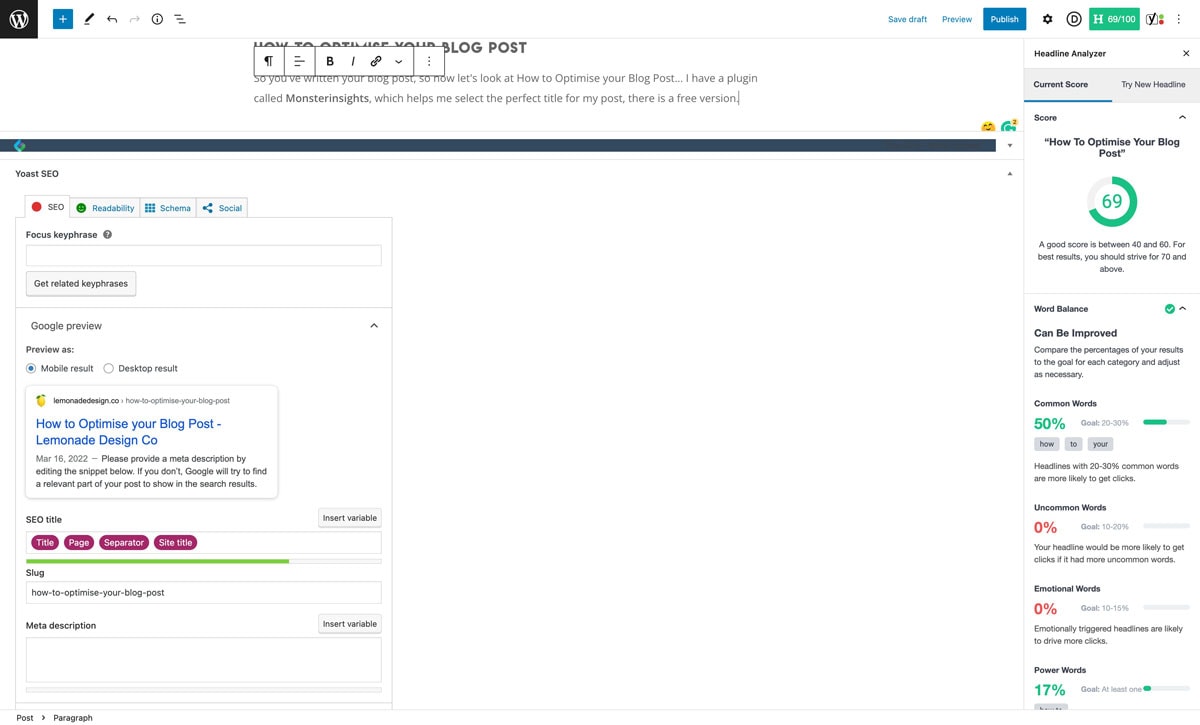
So you’ve written your blog post, so now let’s look at How to Optimise your Blog Post… I have a plugin called Monsterinsights, which helps me select the perfect title for my post, there is a free version.
The Perfect Post Title
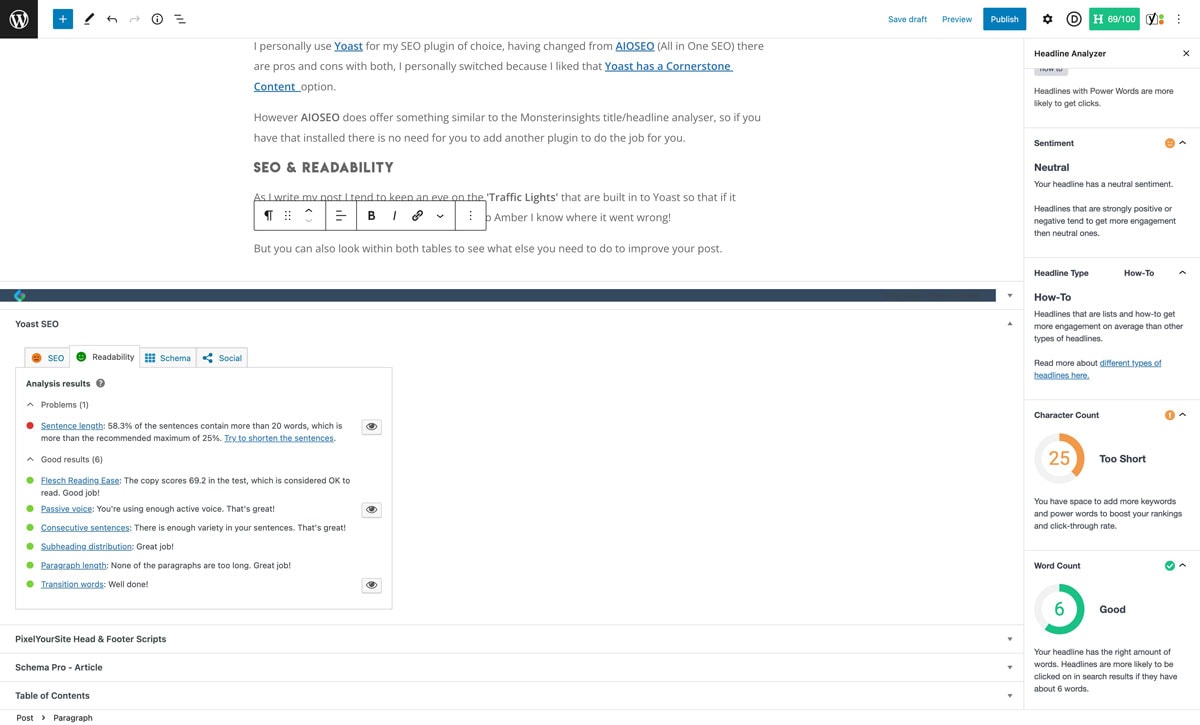
With Monsterinsights you have the option to test other titles/headlines until you have the best possible score for your post, a good score is between 40 and 60.
The plugin also looks at your Word Balance and makes suggestions for other words that you could use, such as uncommon and emotional words.
Along with Character and Word Count, with Green and Amber settings so that you know that you are on target for a post that will read well.
Yoast Or AiOSEO
I personally use Yoast for my SEO plugin of choice, having changed from AIOSEO (All in One SEO) there are pros and cons with both, I personally switched because I liked that Yoast has a Cornerstone Content option.
However AIOSEO does offer something similar to the Monsterinsights title/headline analyser, so if you have that installed there is no need for you to add another plugin to do the job for you.
SEO & Readability
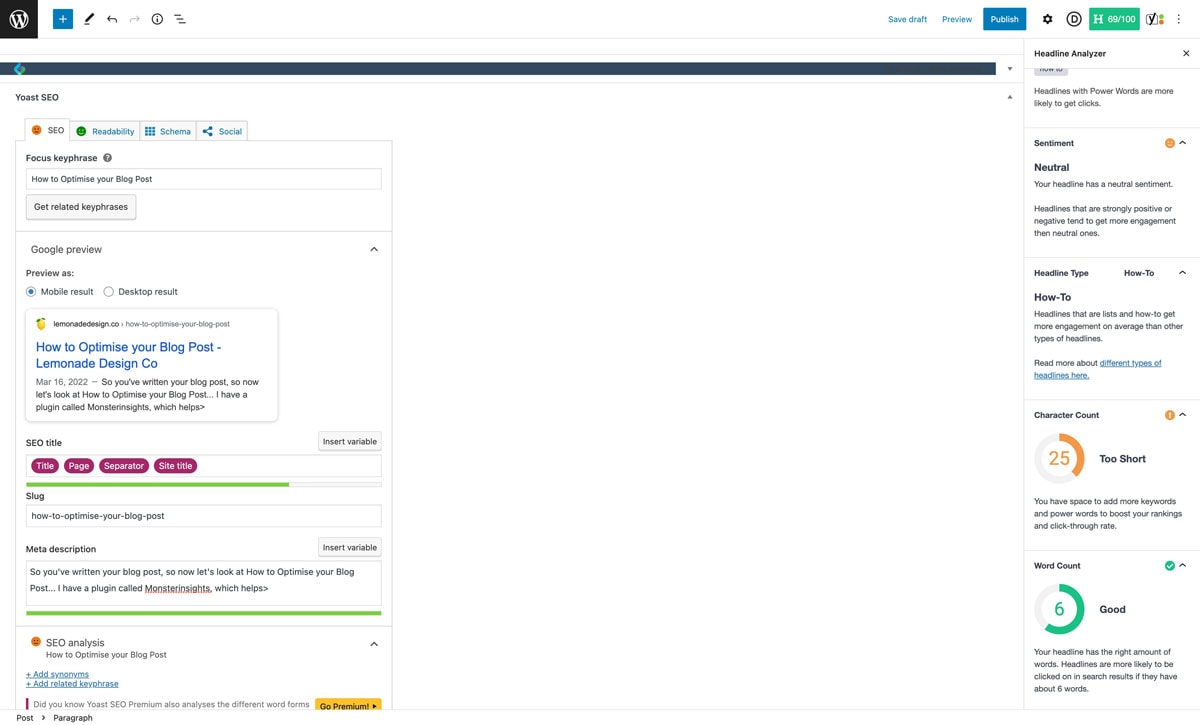
As I write my post I tend to keep an eye on the ‘Traffic Lights’ that are built into Yoast so that if it changes from Amber to Green or even Green to Amber I know where it went wrong!
But you can also look within both tables to see what else you need to do to improve your post.
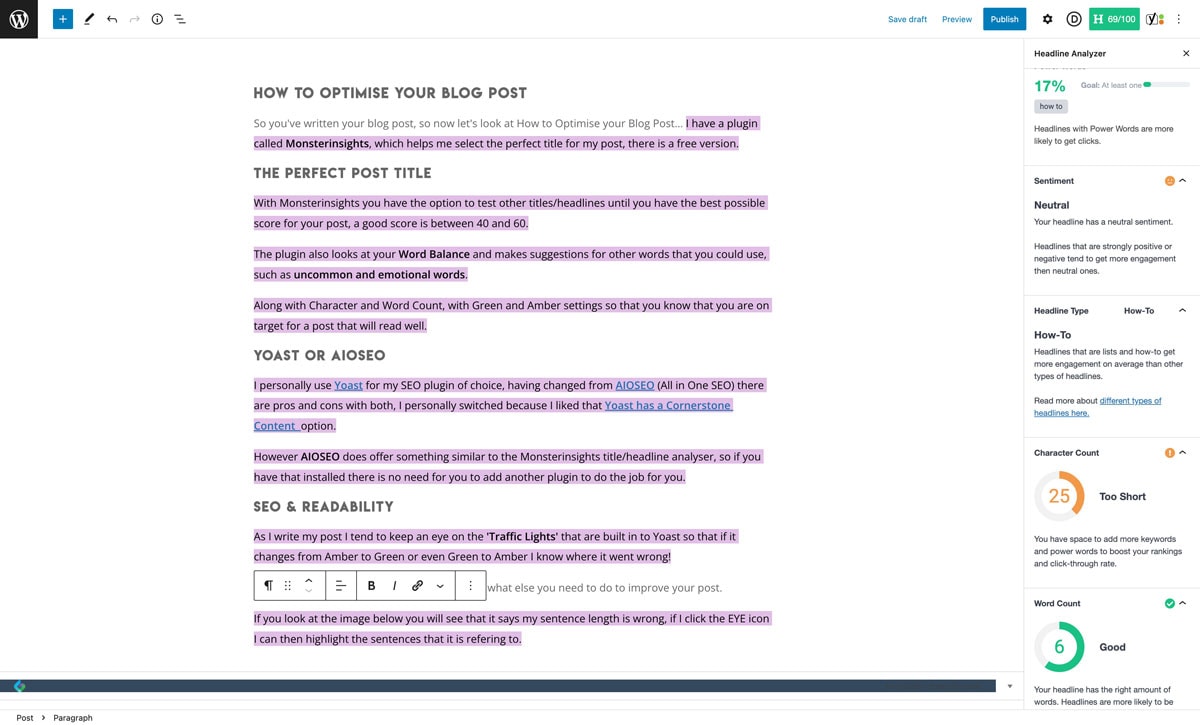
If you look at the image below you will see that it says my sentence length is wrong, if I click the EYE icon I can then highlight the sentences that it is referring to.
You will note that it says that every sentence is more than the required length… at this stage I would now concentrate on the SEO Tab, to see if I can improve that way.
How can I improve my Optimisation
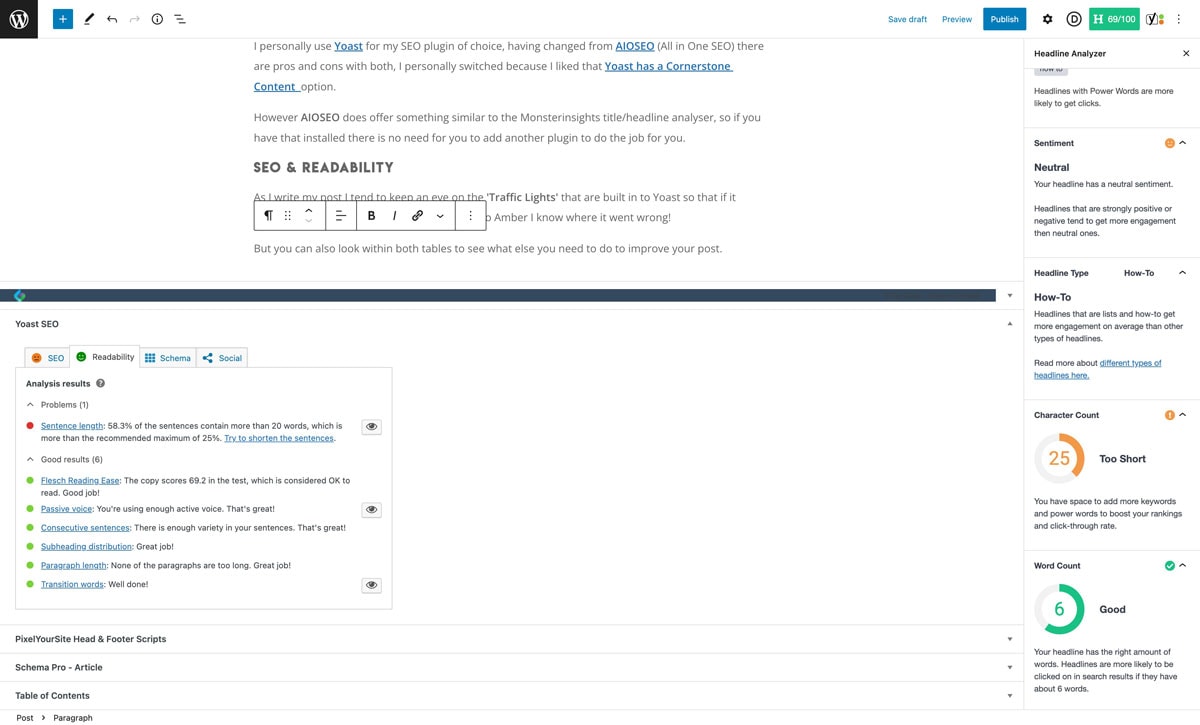
If you take a look at the section called SEO Analysis in the SEO it will give you an insight as to how you can improve the post so as to optimise the blog post, one of the suggestions is that I need to add images to the post.
To add an image click the word Post and add your Featured image where it says ‘Set Featured Image’, adding that image turned both the SEO and the Read Ability Green!
Still, want to Optimise the post more?
Other improvements that I could make are adding internal links to either other blog posts or the contact page or I could add more images to the page.
A top tip when you add images, make sure that you rename them to match the post name.
Overview Videos
I hope that you have enjoyed this post on how to optimise your blog post if you have any questions then you can pop me a message in the comments below or email me and I will be only too happy to answer your questions